
Are you looking for Alight Motion Effects that can make your video captivating and leave a lasting impression on your audience? If yes, then you can download the Alight motion effects for free to stand out from the crowd by making creative and engaging videos.
Alight motion is a motion graphics and video editing Application that allows you to create short and long-form content. It has a wide variety of tools that help you to make mind-blowing videos and animations. With Alight motion, you can use eye-popping effects to take your boring videos to the next level.
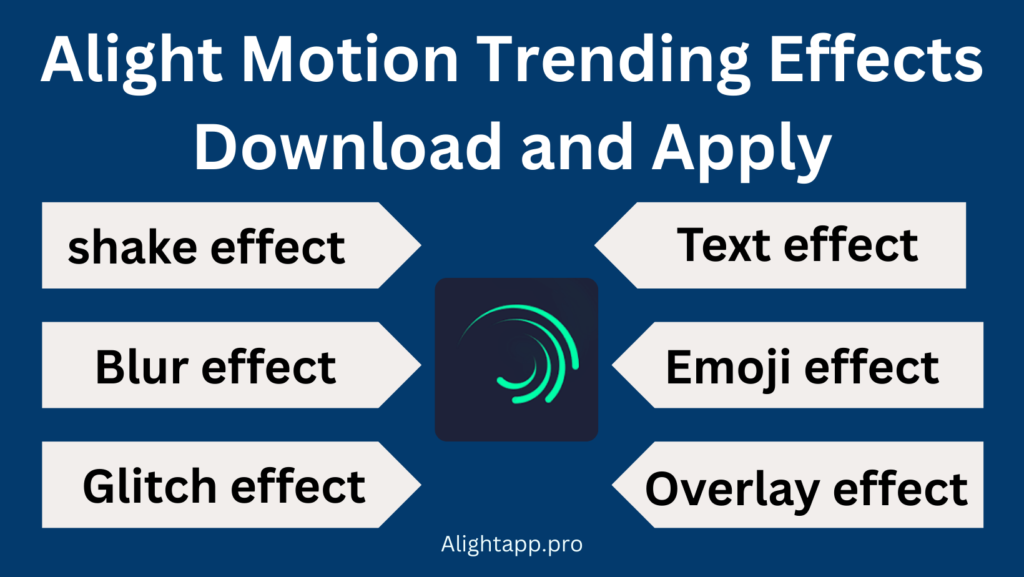
So, in this article, we will share all the effects and teach you how to use them to unleash your creativity.
How to use Alight motion effects?
Alight Motion Trending Effects List
There are multiple effects to use in the Alight Motion. You can download any of them and learn how to use them according to your requirements.
How to Apply the shake effect on Alight Motion?
The Shake Effect is one of the popular effects and creative tools for content creators who want to add a sense of excitement, realism, and joy to the video footage. When you apply this effect in your video, it gives the sense of camera shaking and instability.
To apply this effect, you need to open the Alight Motion and add a media file or the footage which you want to edit. Once you add the media file just select the video part where you want to apply the effect. After selecting the part, split it and click on the PLUS ICON to apply the effect. After applying the effect you can adjust the setting to make it more professional. To learn in-depth you can watch the video.
Alight Motion Background Effect
If you want to increase the overall aesthetic of your video projects, then you can try background effects. Background effects are a great way to add a sense of depth and detail to the video background. Background effects share a variety of visual styles such as Text animation, coloring, shake transition effects, etc. Each visual style can be used to change the look and feel of the project.
Alight Motion Blur Effect
If you want to achieve a dreamy look and add a sense of blurriness in your footage then you can try a blur effect in the Alight Motion. Alight Motion blurry effect allows you to adjust the amount and type of blurriness. You can also set the radius of the blur and create a soft smooth effect with the help of gaussian blur.
To apply the blur effect make sure to open the Alight Motion application and add the file. Once you add the media file just click on PLUS Button to add the effect. After adding the effect you can tweak the setting and adjust it according to your wish.
Text shake affects alight motion
Alight Motion Emoji Effect
Adding Emoji effects is a great way to add more personality and playfulness to your videos. Whether you want to add humor, expressiveness, or emphasis to a specific point, emojis are a versatile tool that can help you achieve your desired effect.
Once you import the emojis effect in alight motion make sure to add in the video where they make sense. You can also animate them to grab the attention of the user.
Overlay Effect Alight Motion
If you want to make intros and outros for your projects or you want to add stunning transitions between the video clips then you can use Overlay Effect in Alight Motion. Not only this, but you can also add captions, and subtitles to your videos to make them more engaging and understandable. All you need to do is to add an extra layer semi-transparent with the help of the Overlay Effect, and you’re good to make an impact with your videos. Just Click on PLUS ICON in the alight motion and choose the Overlay effect and control its opacity, color, and blending Mode.
Alight Motion Glitch Effects
If you want to make your videos look distorted or corrupted then you can use Glitch Effects in Alight Motion. This effect is so powerful, and for a long time, people have been using it. In Alight Motion, you can use it easily. All you need to do is to apply the effect on your footage and control the frequency, intensity, and duration of the effect, and that is it.
Flash Effect Alight Motion
If you want to add bursts of light and make your video dramatic and eye-catching then you can use Flash Effect with the help of Alight Motion. The Flash Effect is ideal for short action videos and for highlighting something in the video to make the footage energetic. The process of applying this effect is very simple. Just Add the effect in your video and control intensity, color, and duration.
Beat Effect Alight Motion
If you need an effect that can rhythmically synchronize the movement with your video footage then Beat Effect can satisfy you. It creates flashing and puzzling shapes that synchronize with your footage and music to add a layer of excitement. It is ideal for music and dance videos. To add this effect, you just need to download the effect and add it in Alight motion. After that, you can apply it to your videos.
Snow Effect Alight Motion
From the name, you can get the idea, it’s about to snow. If you want to give winter a feel and create snowflakes that gently fall from the sky then you can try the Snow Effect with the help of Alight Motion. You can add this effect and customize its speed, opacity, and direction.
You can also add this effect to your images and give a sense of winter.
Closing Thoughts
You can download all the effects for free related to Alight Motion. We have listed all the links and guides about how you download all the effects you use in your projects. All the effects are free and downloadable and just for Alight motion Pro. So, if either you’re a professional video editor or you can edit video for tiktok and youtube, you can use these effects in the Alight Motion to make your video more engaging and creative.
